> ## Documentation Index
> Fetch the complete documentation index at: https://docs.katyar.com/llms.txt
> Use this file to discover all available pages before exploring further.
# Installing Katyar in Your Agent
> Step-by-step guide to install the Katyar SDK, generate an API key, and add governance to your agent
Add enterprise-grade governance, compliance, and human oversight to any AI agent in **under 5 minutes**.
Katyar works with LangChain, CrewAI, LlamaIndex, custom agents, or any LLM tool-calling workflow.
## Step-by-Step Installation
### 1. Install the Katyar SDK
Install the official Python SDK:
```bash theme={null}
pip install katyar
```
This gives you policy enforcement, tracing, observability, and compliance activation.
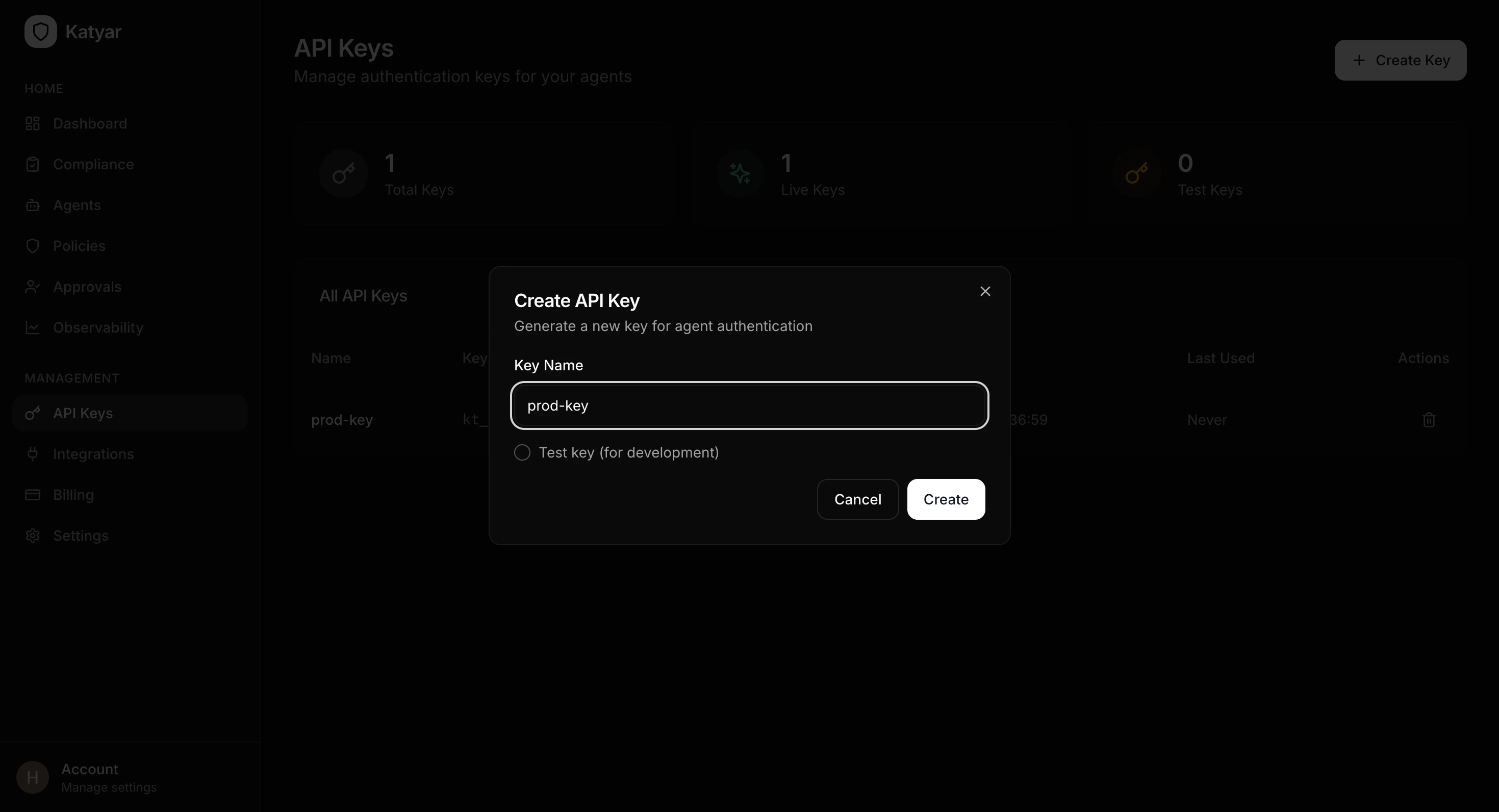
### 2. Create an API Key from the Dashboard
1. Log in to your Katyar dashboard at **[https://app.katyar.ai](https://app.katyar.ai)**
2. Go to **API Keys** in the sidebar menu
3. Click **Create Key**
4. Give the key a descriptive name (e.g. `my-agent-prod` or `dev-test`)
5. Copy the full secret key (`kt_live_...`) — it is only shown once
 ### 3. Add the API Key to Your Environment
Create or update a `.env` file in your project root:
```env theme={null}
KATYAR_API_KEY=kt_live_your_actual_key_here
```
**Important:**
* **Never hardcode the key** in source code
* Add `.env` to `.gitignore`
* Use environment variables in production (Docker, Kubernetes, Vercel, etc.)
### 4. Initialize Katyar in Your Code (One Line)
Add this at the top of your agent script:
```python theme={null}
import katyar
# This single line activates everything
katyar.init() # Automatically loads KATYAR_API_KEY from environment
```
**What happens automatically:**
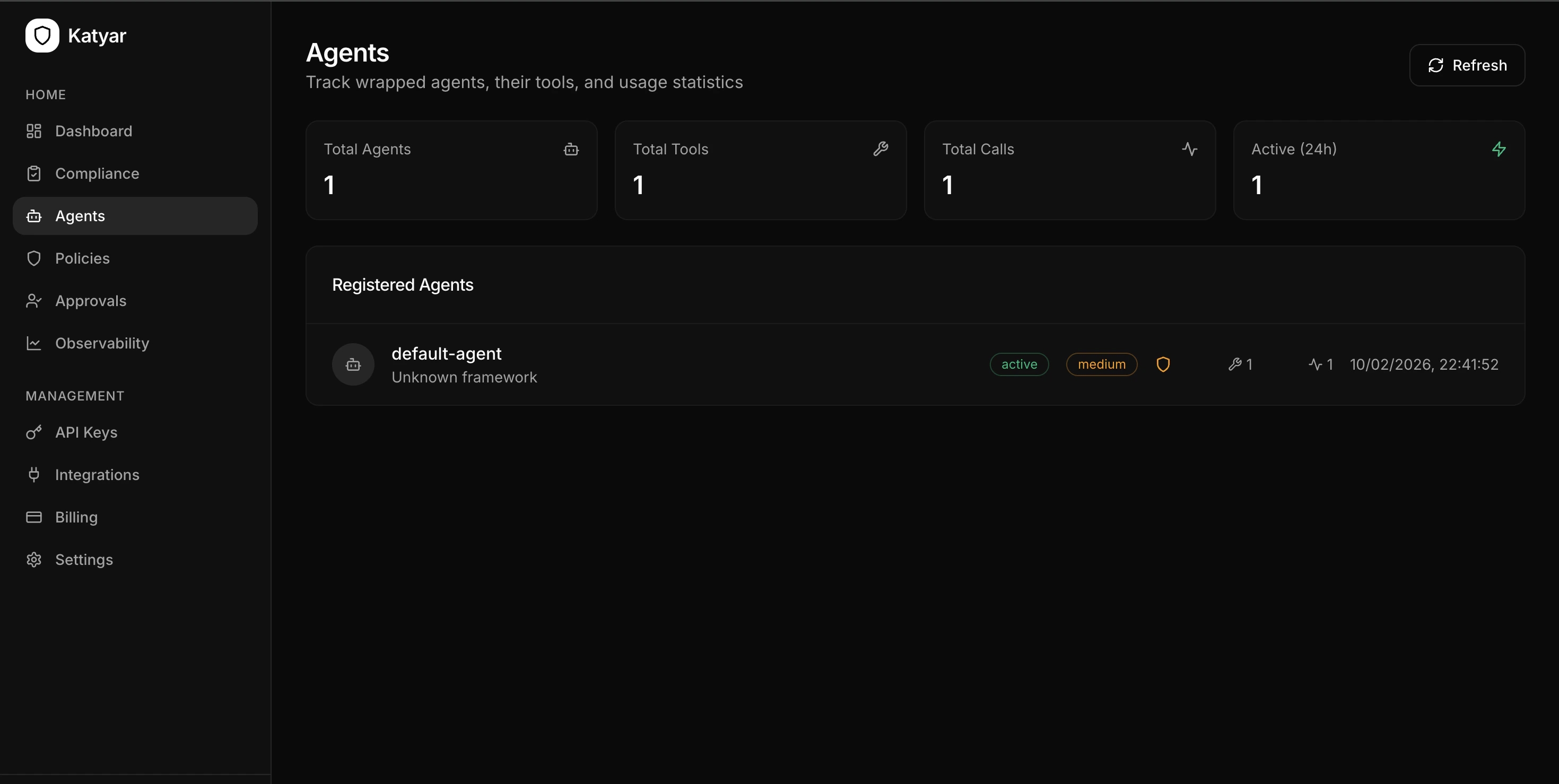
* Agent registers itself with Katyar
* 21 compliance controls are seeded
* Real-time compliance evaluation runs
* Policy gateway connection is established
* OpenAI/Groq/Anthropic clients are auto-patched for tracing
* Console shows your current compliance score
**Example output:**
```text theme={null}
INFO: Katyar initialized – agent registered as "my-agent"
INFO: Compliance score: 12.4% (18 gaps) – visit dashboard to fix
```
### 3. Add the API Key to Your Environment
Create or update a `.env` file in your project root:
```env theme={null}
KATYAR_API_KEY=kt_live_your_actual_key_here
```
**Important:**
* **Never hardcode the key** in source code
* Add `.env` to `.gitignore`
* Use environment variables in production (Docker, Kubernetes, Vercel, etc.)
### 4. Initialize Katyar in Your Code (One Line)
Add this at the top of your agent script:
```python theme={null}
import katyar
# This single line activates everything
katyar.init() # Automatically loads KATYAR_API_KEY from environment
```
**What happens automatically:**
* Agent registers itself with Katyar
* 21 compliance controls are seeded
* Real-time compliance evaluation runs
* Policy gateway connection is established
* OpenAI/Groq/Anthropic clients are auto-patched for tracing
* Console shows your current compliance score
**Example output:**
```text theme={null}
INFO: Katyar initialized – agent registered as "my-agent"
INFO: Compliance score: 12.4% (18 gaps) – visit dashboard to fix
```
 ### 5. Secure Your Tools with the `@katyar.tool` Decorator
Wrap every function your agent calls:
```python theme={null}
@katyar.tool("weather", "read")
def get_weather(city: str):
# Your real implementation
return {"temperature": 22, "condition": "sunny"}
@katyar.tool("database", "write")
def write_to_db(query: str):
# This will be blocked/approved based on policy
return execute_query(query)
@katyar.tool("payment", "transfer")
def transfer_funds(amount: float, to: str):
# High-risk action — will likely trigger human approval
return process_payment(amount, to)
```
**Every decorated tool now has:**
* Policy checking before execution
* Guardrail scanning (injection, PII, secrets, toxicity)
* Tracing (latency, tokens, cost)
* Audit logging
* Blocking or HITL approval when required
## Full Minimal Example
```python theme={null}
import katyar
from dotenv import load_dotenv
load_dotenv()
# Activate Katyar governance
katyar.init()
@katyar.tool("search", "web")
def web_search(query: str):
return f"Search results for: {query}"
# Your agent logic
result = web_search("AI governance best practices")
print(result)
```
###
### 5. Secure Your Tools with the `@katyar.tool` Decorator
Wrap every function your agent calls:
```python theme={null}
@katyar.tool("weather", "read")
def get_weather(city: str):
# Your real implementation
return {"temperature": 22, "condition": "sunny"}
@katyar.tool("database", "write")
def write_to_db(query: str):
# This will be blocked/approved based on policy
return execute_query(query)
@katyar.tool("payment", "transfer")
def transfer_funds(amount: float, to: str):
# High-risk action — will likely trigger human approval
return process_payment(amount, to)
```
**Every decorated tool now has:**
* Policy checking before execution
* Guardrail scanning (injection, PII, secrets, toxicity)
* Tracing (latency, tokens, cost)
* Audit logging
* Blocking or HITL approval when required
## Full Minimal Example
```python theme={null}
import katyar
from dotenv import load_dotenv
load_dotenv()
# Activate Katyar governance
katyar.init()
@katyar.tool("search", "web")
def web_search(query: str):
return f"Search results for: {query}"
# Your agent logic
result = web_search("AI governance best practices")
print(result)
```
###